A Thousand Cloys System Requirements
Official Steam minimums, storage, Unity notes, and idle performance tips.
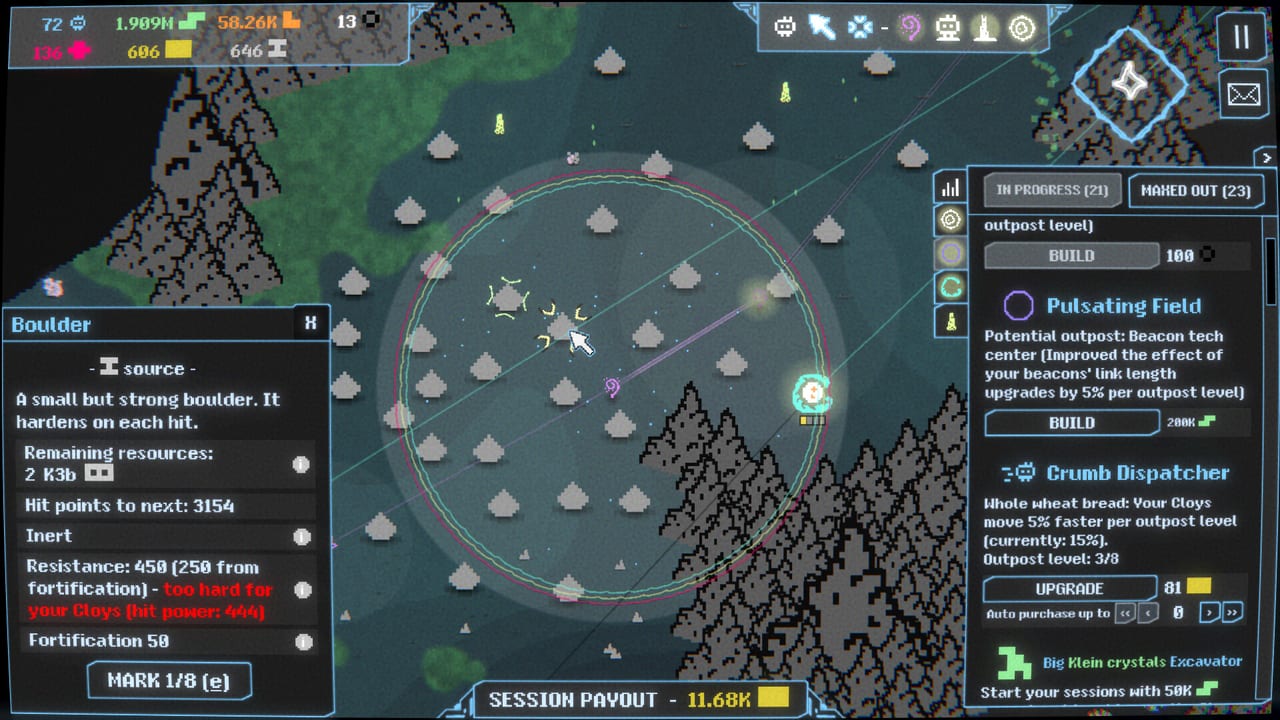
A Thousand Cloys ships as a lightweight Windows incremental from studio 3-50. The install is tiny by modern standards, but you still want a stable GPU driver and enough headroom to leave the game open while Cloys work. This page collects the official Steam minimums, engine notes from the itch listing, Deck status, and practical performance advice for long sessions on planet Kalahari.
For input setup after you confirm the PC can run the game, read Controls. For first-hour goals, use Getting Started.
Official Steam minimum requirements
Steam lists a single Minimum tier for app 3861740. There is no separate Recommended block on the store page at launch coverage time—treat the table below as the floor you should meet or exceed.
| Component | Minimum |
|---|---|
| OS | Windows 10 or newer |
| Processor | 2.5 GHz or better |
| Memory | 2 GB RAM |
| Graphics | NVIDIA GeForce GTX 960 (4 GB) / AMD Radeon R9 380 |
| Storage | 300 MB available space |
| Platform | Windows (Steam) |
Those GPU examples imply a mid-2010s discrete card with roughly 4 GB VRAM class capability. Integrated graphics newer than those reference cards may still run the game, but Steam’s published bar is the GTX 960 / R9 380 tier—plan upgrades or lower desktop resolution if you are below it.
Languages on Steam: English and French interface. Players: single-player only. Price context: full game $7.99 USD with a launch introductory discount documented separately on Launch Day.
Storage and install footprint
300 MB available space is the Steam storage line. That is closer to a large indie demo than a modern 3D campaign. Still leave spare room on the drive for:
- Steam shader or depot caches after first launch
- Windows pagefile pressure if you only have 2 GB physical RAM (the absolute minimum)
- Parallel installs of the A Thousand Cloys Demo (Steam app 4140860) if you keep both
SSD versus HDD rarely matters at this size for load times, but an SSD reduces hitching when Windows indexes or updates in the background during idle harvest windows.
Unity engine note (itch listing)
The itch.io demo page marks the project as Made with Unity and ships an HTML5 browser build alongside desktop-oriented Steam builds. Unity explains several practical expectations:
- First launches may compile or warm up shaders; brief stutters on brand-new GPUs are normal.
- Fullscreen and display toggles live in Options—see Controls for the itch “toggle then left-click” fullscreen quirk.
- Browser performance depends on the host browser; itch comments mention lag in some engines. Prefer the Steam client for consistent frame pacing.
- Saves can export from the itch demo toward Steam play, but not from Steam back into the browser demo.
Unity also means standard Windows graphics settings (exclusive fullscreen, borderless, vsync-related toggles if exposed) behave like other Unity titles. Keep GPU drivers reasonably current—especially on AMD and NVIDIA cards near the minimum tier.
What the specs imply for real hardware
CPU 2.5 GHz+: Any modern dual-core or better desktop chip clears this. Older netbooks may not. Incremental games spike when many agents pathfind; a slightly faster CPU helps more than raw clock marketing when dozens of Cloys move at once.
2 GB RAM: This is a true minimum. For comfort while browsing Discord, a browser, and capture software, 8 GB system RAM is a safer everyday target even though Steam only asks for two.
GTX 960 4GB / R9 380: Expect 1080p to be fine on reference hardware. If you run 1440p or 4K desktop scaling, use the game’s windowed or borderless mode and avoid stacking heavy overlays. The art direction is 2D/minimalist rather than AAA lighting, so fill rate—not ray tracing—matters.
Windows 10 or newer: Windows 11 is included under “newer.” Keep the OS updated enough that Steam’s runtime libraries install cleanly.
Performance tips for incremental idle windows
A Thousand Cloys encourages both active play and leaving Cloys working while you step away. Idle windows create different stress than boss fights:
- Cap or vsync reasonably. Unlimited FPS on a lightweight Unity title can keep a laptop GPU warm for no gameplay gain. If Options expose a frame limit, use it during overnight idles.
- Close unused browser demos. Running itch HTML5 in a background tab plus the Steam build doubles work for no benefit.
- Watch thermals on thin laptops. Beacon moves and large Cloy groups raise CPU briefly; dust-clogged fans cause thermal throttling that feels like “the game got slow after an hour.”
- Disable heavy overlays if hitching. Discord, RGB suites, and multiple capture hooks can stutter low-spec machines more than the game itself.
- Keep music muted when recording. Press-kit guidance for false YouTube claims also reduces encoder load slightly when the soundtrack bus is silent—see volume notes on Controls.
- End sessions intentionally. Prestige-style payouts reset world load; you do not need to leave a mega-swarm running for days if the session is ready to cash out. Strategy details live in the Guides Hub.
- Free disk space near the 300 MB line. Windows Update can consume the last gigabyte and make Steam verify fail even when the game itself is small.
If frame time spikes only when the camera pans across dense fog edges, reduce zoom frequency and enable Camera Comfort so motion effects stay gentle.
Steam Deck and handheld status
Steam Deck compatibility is listed as Unknown on store coverage around launch. That means Valve has not published a Verified / Playable / Unsupported rating in the material we track. Practically:
- The game is mouse and keyboard first, with a Mouse Only Option that may help on Deck desktop mode or with trackpads.
- There is no official gamepad-focused feature line comparable to full controller support badges.
- Proton or Deck users should verify controls in Options after install and expect to supply their own community layout if they play in Gaming Mode.
Until Steam updates the Deck rating, treat handheld play as experimental and keep a Windows desktop or laptop as the supported path.
Demo versus full game hardware needs
The free Steam demo and itch browser demo use the same design and should land near the same minimums. Demo sessions often last about 1–2 hours of content (community medians around that range during the November 2025 demo wave), while the full release targets roughly 15–25 hours. Longer full-game sessions mean more cumulative idle time—stability and thermals matter more than peak FPS.
Demo saves can carry into the full game on the supported path, so meeting requirements early lets progress stick after purchase. Details on launch pricing and storefronts sit on Launch Day; official URLs are listed under Links.
Pre-flight checklist
- Windows 10/11 updated, Steam installed
- At least 300 MB free (more if keeping demo + full game)
- GPU drivers current on GTX 960 / R9 380 class or better
- Options configured for volume and Camera Comfort
- Overlay stack simplified if you are near minimum RAM
Once the checklist passes, return to the Tools Hub or dive into gameplay guides. Hardware should disappear into the background while you cleanse Klein radiation with a swarm of high-tech toasters.
Frequently Asked Questions
Quick answers to the most common questions.
What are the minimum specs for A Thousand Cloys?
Windows 10 or newer, 2.5 GHz or better CPU, 2 GB RAM, NVIDIA GTX 960 4GB or AMD Radeon R9 380, and 300 MB storage.
How big is the download?
Steam lists 300 MB available space. Leave extra room for caches if you also keep the demo installed.
Is A Thousand Cloys verified on Steam Deck?
Deck compatibility is listed as Unknown. The game is mouse-and-keyboard focused; treat Deck play as unofficial until Valve rates it.
What engine does the game use?
The itch listing marks it Made with Unity, including an HTML5 browser demo. Steam ships the Windows client players should prefer for performance.
Will a laptop with integrated graphics run it?
Steam’s published minimum cites GTX 960 / R9 380 class GPUs. Newer integrated chips may work, but they are below the stated bar—test with the free demo first.